
Review and Edit Trades
Categories
Review and Edit Trades
Trade management in journl. lives under Trade Journal. This is where you review your trades, filter them, group them by time period, and open the manage view for deeper trade analysis.
Trade Journal views
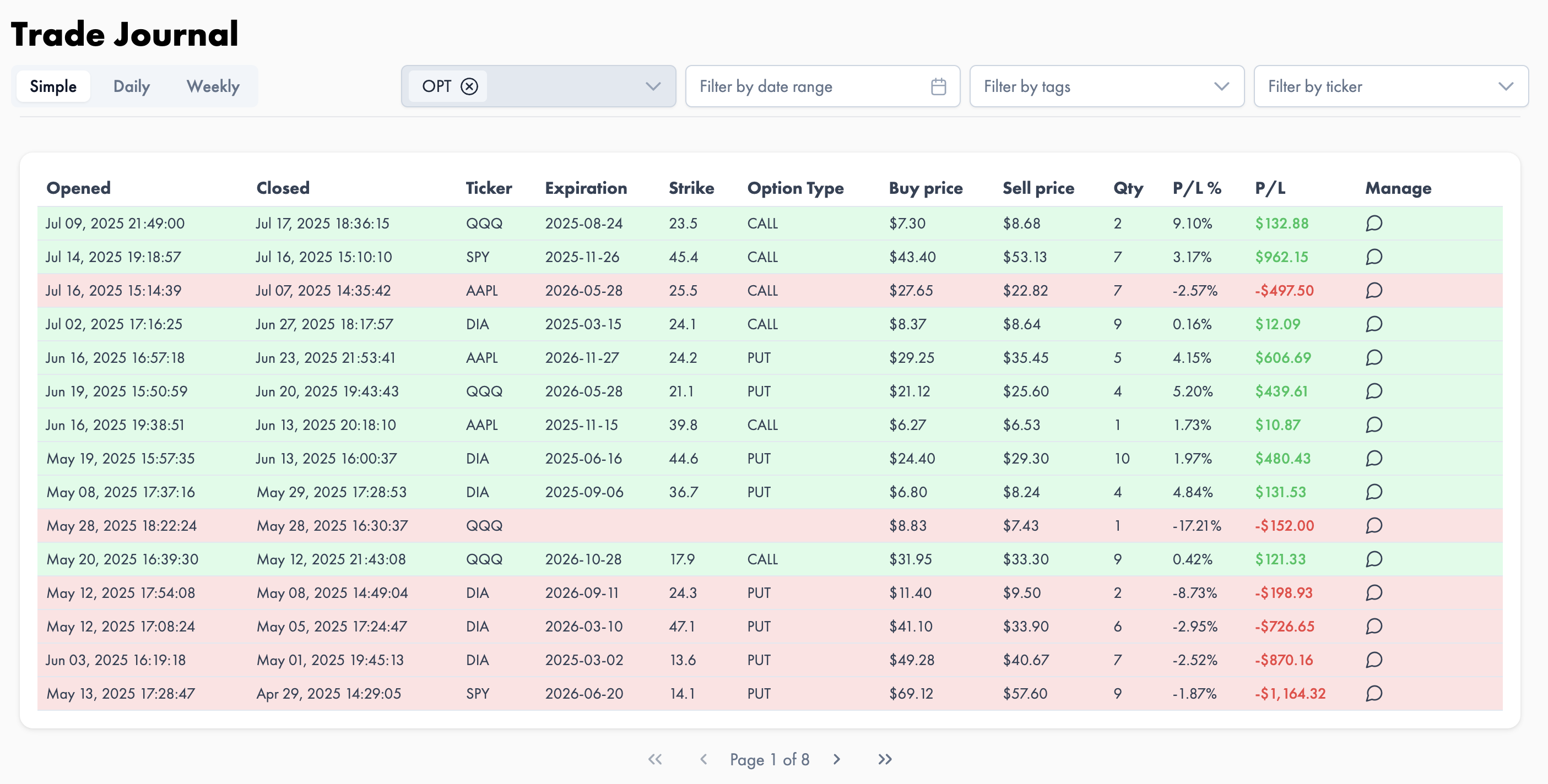
Simple
The Simple view shows all trades in a simple table with a basic overview. It is the fastest way to scan trades and jump into the manage view for a specific trade.
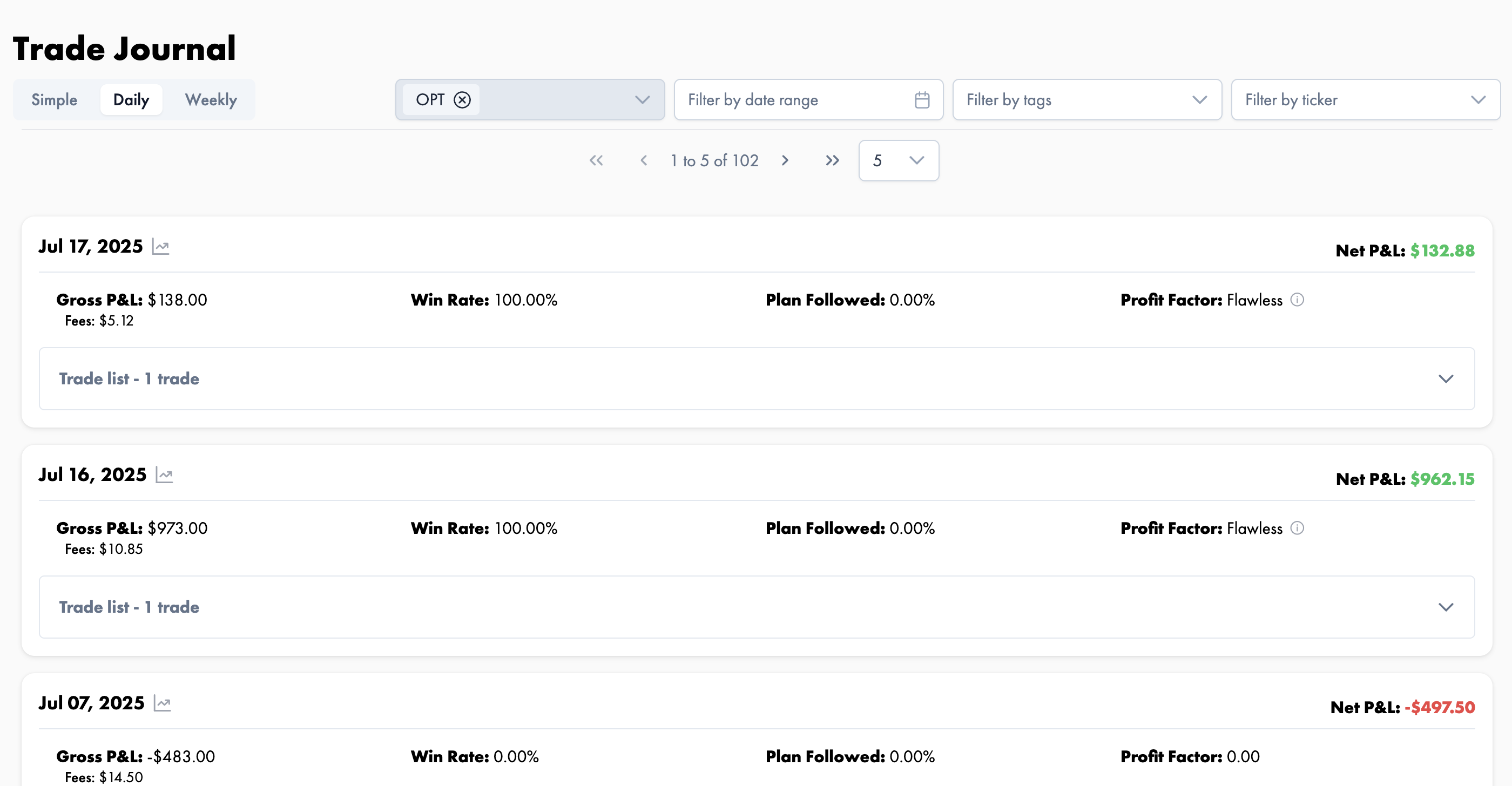
Daily
The Daily view groups trades by day. Each day shows summary stats for that date, and a small area chart is available to visualize the performance of that day.
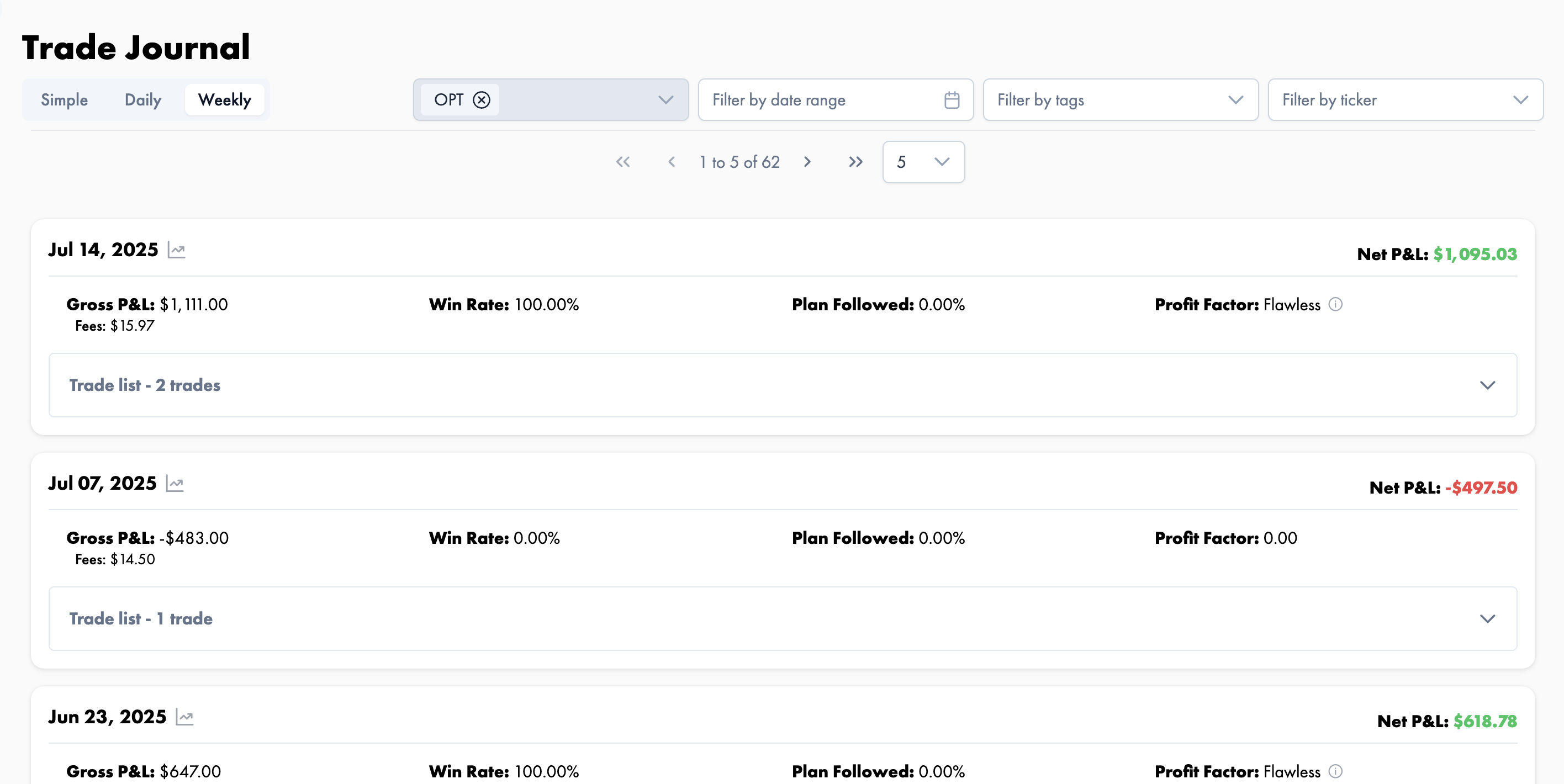
Weekly
The Weekly view works the same way as the Daily view, but groups trades on a weekly basis. A small area chart is also available to visualize the performance of the selected week.
Available filters
Filters help you get to the exact trades you want to review.
- Date filter to narrow trades to a specific range
- Tag filter to find trades connected to a specific tag
- Ticker filter to focus on a specific symbol
Managing a trade
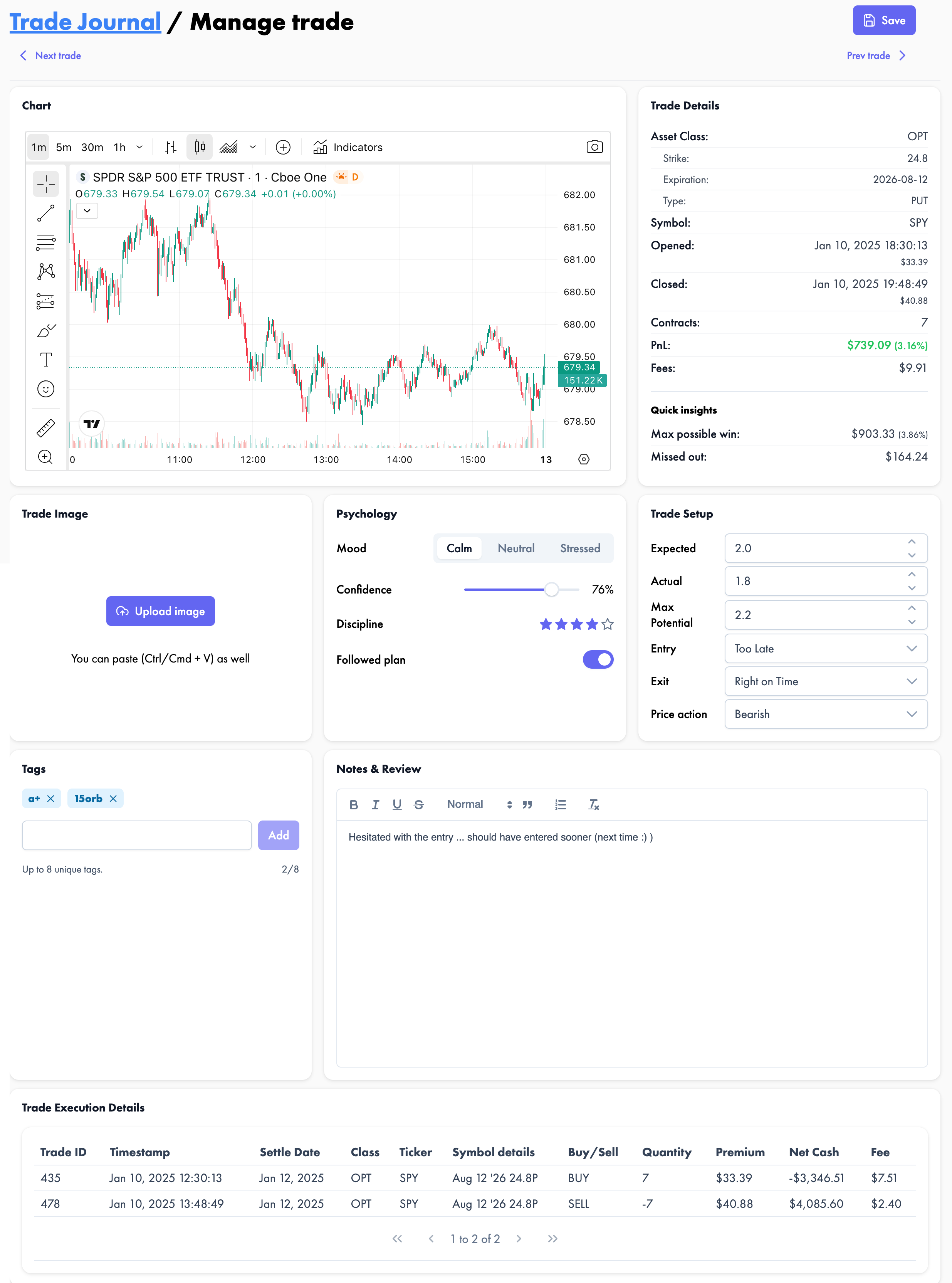
Each trade includes a Manage action that opens the full trade management window.
Inside that view, you can move between trades with Next and Previous navigation, similar to a gallery, without going back to the Trade Journal list each time.
Manage trade sections
1. Chart
Interactive chart widget powered by TradingView.
2. Trade Details
Core trade details and quick insights. Quick insights are available once Trade Setup is populated.
3. Trade Image
Upload or paste a chart image with your own indicators or annotations.
4. Psychology
Area for your psychological review and self assessment.
5. Trade Setup
Capture Expected, Actual, and Max Potential risk reward, plus entry timing, exit timing, and price action.
6. Tags
Add tags to organize trades and make filtering easier later.
7. Notes & Review
Write your trade notes, review what happened, and capture your lessons.
8. Trade execution details
Detailed execution records for the trade.
Daily and Weekly views are especially useful when you want to review performance in context, because they group trades and surface summary stats before you open the full manage window.
Review and Edit Trades
Trade management in journl. lives under Trade Journal. This is where you review your trades, filter them, group them by time period, and open the manage view for deeper trade analysis.
Trade Journal views
Simple
The Simple view shows all trades in a simple table with a basic overview. It is the fastest way to scan trades and jump into the manage view for a specific trade.
Daily
The Daily view groups trades by day. Each day shows summary stats for that date, and a small area chart is available to visualize the performance of that day.
Weekly
The Weekly view works the same way as the Daily view, but groups trades on a weekly basis. A small area chart is also available to visualize the performance of the selected week.
Available filters
Filters help you get to the exact trades you want to review.
- Date filter to narrow trades to a specific range
- Tag filter to find trades connected to a specific tag
- Ticker filter to focus on a specific symbol
Managing a trade
Each trade includes a Manage action that opens the full trade management window.
Inside that view, you can move between trades with Next and Previous navigation, similar to a gallery, without going back to the Trade Journal list each time.
Manage trade sections
1. Chart
Interactive chart widget powered by TradingView.
2. Trade Details
Core trade details and quick insights. Quick insights are available once Trade Setup is populated.
3. Trade Image
Upload or paste a chart image with your own indicators or annotations.
4. Psychology
Area for your psychological review and self assessment.
5. Trade Setup
Capture Expected, Actual, and Max Potential risk reward, plus entry timing, exit timing, and price action.
6. Tags
Add tags to organize trades and make filtering easier later.
7. Notes & Review
Write your trade notes, review what happened, and capture your lessons.
8. Trade execution details
Detailed execution records for the trade.
Daily and Weekly views are especially useful when you want to review performance in context, because they group trades and surface summary stats before you open the full manage window.