
Progress, milestones and patterns
Categories
Progress, milestones and patterns
Two features show whether your trading is getting better: the pattern to watch on the Dashboard, and the Progress tab in Insights with your milestones.
Pattern to watch
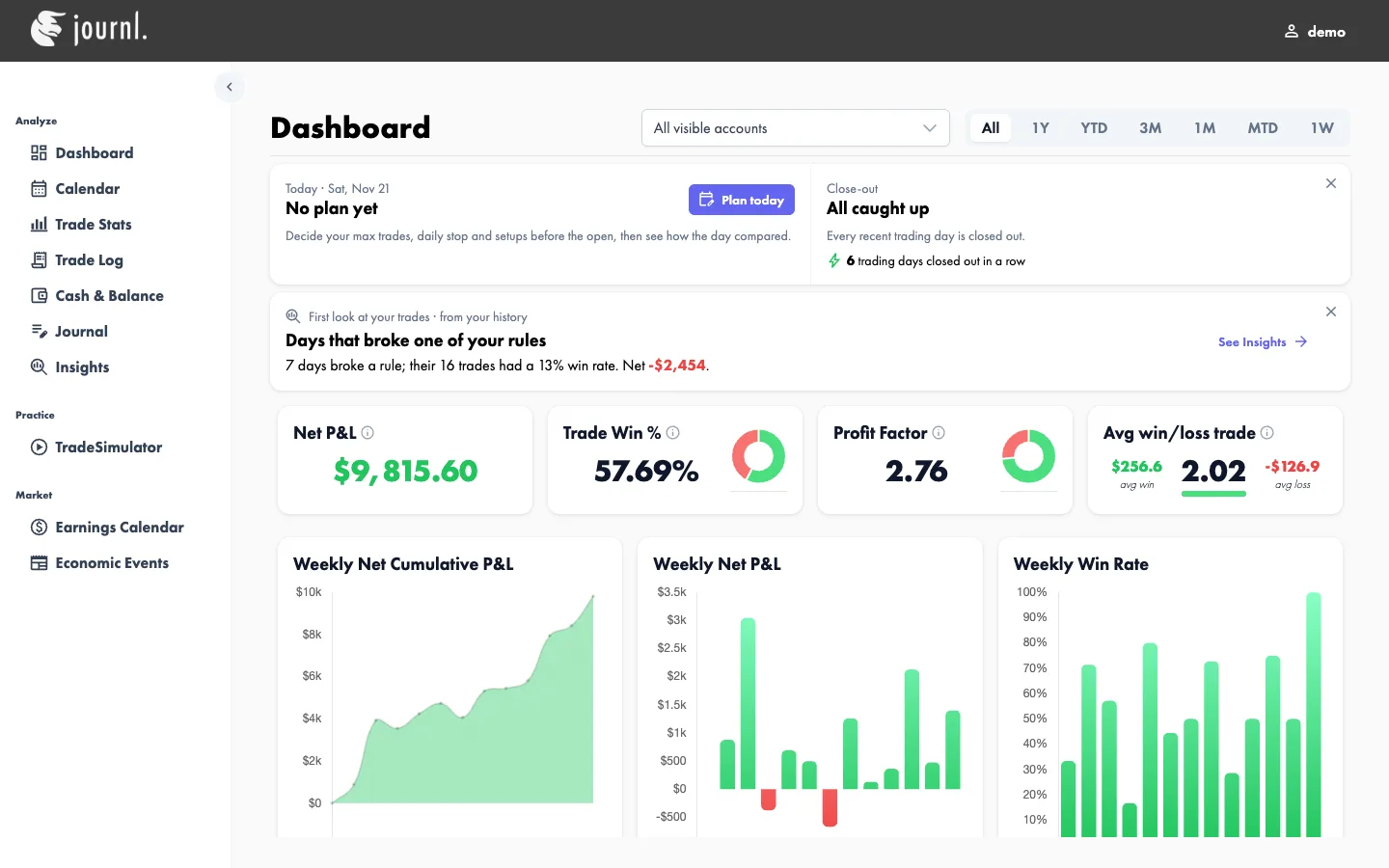
Below the daily card, the Dashboard shows the one pattern that cost you the most in the last 4 weeks, with the number of trades and what it cost. It looks at things like trades taken after two losses in a row, a time of day, a setup, or days that broke one of your rules. If you're new and the last 4 weeks are quiet, it looks at your whole history instead. All plans
- See Insights opens the tab with the details.
- Practise it opens the TradeSimulator when the pattern is a losing setup, so you can rehearse it without risk. Your practice trades are tagged with that setup.
- The × lets you Hide this pattern (the next most costly pattern takes its place) or Turn off the card. Bring it back in Account center → Account.
Insights → Progress
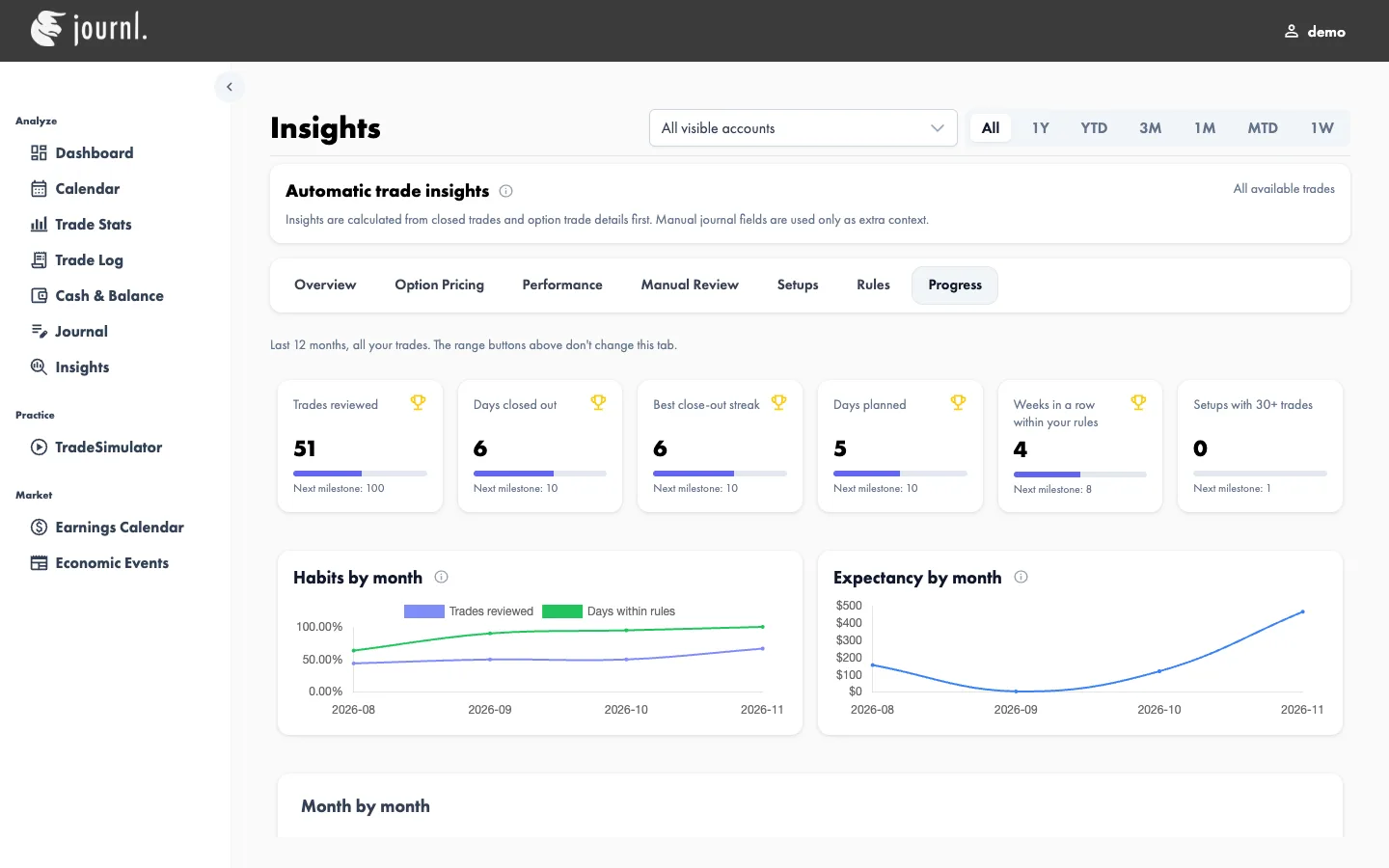
The Progress tab covers the last 12 months of all your trades, whatever range is selected above it. Insights: Basic, Premium, Pro
- Milestones: your count for each habit and how far it is to the next milestone.
- Habits by month: the share of trades you reviewed and the share of trading days within your rules. These usually improve before P&L does.
- Expectancy by month: average P&L per trade. A steady rise means your edge is improving, even in a losing month.
- Month by month: trades, P&L, win rate, expectancy, reviewed share, days within rules and days closed out for each month.
Milestones
journl. counts the habits that make a journal work:
- Trades reviewed
- Days closed out, and your best close-out streak
- Days planned
- Weeks in a row within your rules (once you've set rules)
- Setups with 30 or more trades, enough to trust their numbers
When you reach a new milestone, a short message congratulates you the next time you open the Dashboard.
Habits and milestones come from the daily routine and your setups and rules. A mentor can follow the same numbers through a mentor view link.
Progress, milestones and patterns
Two features show whether your trading is getting better: the pattern to watch on the Dashboard, and the Progress tab in Insights with your milestones.
Pattern to watch
Below the daily card, the Dashboard shows the one pattern that cost you the most in the last 4 weeks, with the number of trades and what it cost. It looks at things like trades taken after two losses in a row, a time of day, a setup, or days that broke one of your rules. If you're new and the last 4 weeks are quiet, it looks at your whole history instead. All plans
- See Insights opens the tab with the details.
- Practise it opens the TradeSimulator when the pattern is a losing setup, so you can rehearse it without risk. Your practice trades are tagged with that setup.
- The × lets you Hide this pattern (the next most costly pattern takes its place) or Turn off the card. Bring it back in Account center → Account.
Insights → Progress
The Progress tab covers the last 12 months of all your trades, whatever range is selected above it. Insights: Basic, Premium, Pro
- Milestones: your count for each habit and how far it is to the next milestone.
- Habits by month: the share of trades you reviewed and the share of trading days within your rules. These usually improve before P&L does.
- Expectancy by month: average P&L per trade. A steady rise means your edge is improving, even in a losing month.
- Month by month: trades, P&L, win rate, expectancy, reviewed share, days within rules and days closed out for each month.
Milestones
journl. counts the habits that make a journal work:
- Trades reviewed
- Days closed out, and your best close-out streak
- Days planned
- Weeks in a row within your rules (once you've set rules)
- Setups with 30 or more trades, enough to trust their numbers
When you reach a new milestone, a short message congratulates you the next time you open the Dashboard.
Habits and milestones come from the daily routine and your setups and rules. A mentor can follow the same numbers through a mentor view link.