
Emails and reminders
Categories
Emails and reminders
Besides account emails (verification, password, billing), journl. sends four optional emails. Each one has its own switch in Account center → Account, and the switch takes effect right away.
Trading recap
A short summary of your P&L, best and worst days, setups and rules, plus how many trades still need a review. Choose Weekly (Mondays) or Monthly (on the 1st). It's only sent for periods with closed trades. If you've had mentor comments, the recap mentions them too.
Review reminder
If you haven't opened journl. for 10 days while your trades keep syncing, you get one email with how many trades wait for a review and the pattern that cost you the most. At most once a month.
Close-out reminder
An email when your most recent trading day isn't closed out yet, with that day's trades, how many still need a review and your close-out streak. One click takes you to the close-out page. You get it once per trading day, only for the last few days. It's off until you turn it on.
Mentor comments
An email when a mentor leaves a comment on one of your mentor view links. At most once a day; later comments show on your Dashboard.
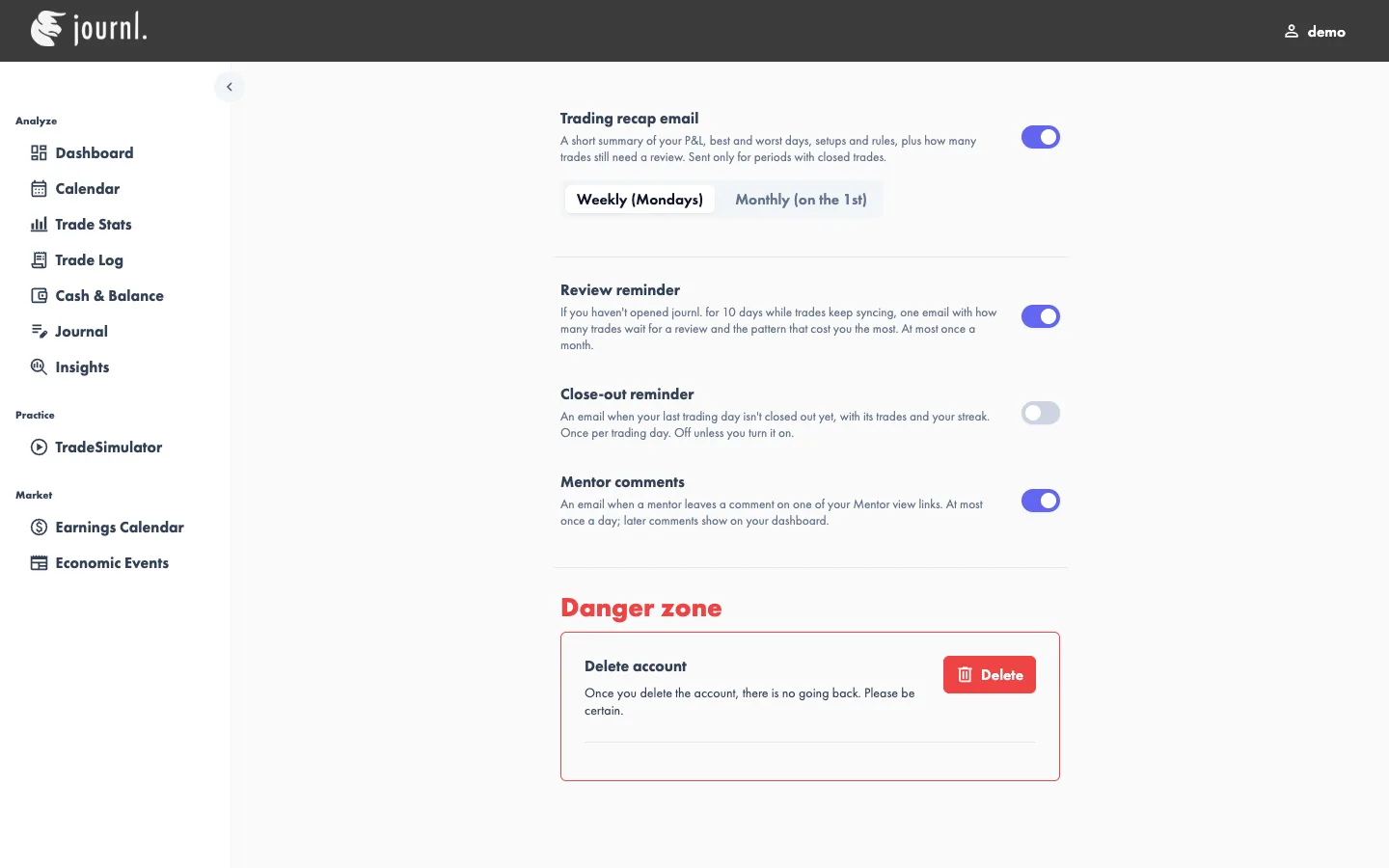
Turning an email off only stops that email. Your data, reminders on the Dashboard and other emails are unchanged.
Emails and reminders
Besides account emails (verification, password, billing), journl. sends four optional emails. Each one has its own switch in Account center → Account, and the switch takes effect right away.
Trading recap
A short summary of your P&L, best and worst days, setups and rules, plus how many trades still need a review. Choose Weekly (Mondays) or Monthly (on the 1st). It's only sent for periods with closed trades. If you've had mentor comments, the recap mentions them too.
Review reminder
If you haven't opened journl. for 10 days while your trades keep syncing, you get one email with how many trades wait for a review and the pattern that cost you the most. At most once a month.
Close-out reminder
An email when your most recent trading day isn't closed out yet, with that day's trades, how many still need a review and your close-out streak. One click takes you to the close-out page. You get it once per trading day, only for the last few days. It's off until you turn it on.
Mentor comments
An email when a mentor leaves a comment on one of your mentor view links. At most once a day; later comments show on your Dashboard.
Turning an email off only stops that email. Your data, reminders on the Dashboard and other emails are unchanged.