
Quick start: your first reviewed trade
Categories
Quick start: your first reviewed trade
From sign-up to your first reviewed trade in about fifteen minutes. Follow the steps in order; each one links to a detailed guide. New to journl.? Start with what the Interactive Brokers trading journal does.
New accounts start with a one-minute guided tour of where everything is. Restart it any time from the menu under your name in the top right: Take the tour.
1. Set your time zone
Open Account center → Account and set Your time zone before importing, so trade times and trading days are right from the start. More on settings.
2. Get your trades in
Pick one way to start. You can switch or combine them later; journl. skips trades it already has.
- IBKR CSV file (every plan): create a Flex Query once, download the file, upload it in Account center → Trading → Import a file. Manual import guide.
- IBKR auto sync (Basic and above): paste a Flex Token and Query ID into Account center → Trading. Auto sync guide.
- Enter a trade by hand: Add trade on the Journal or Trade Log. Manual trades guide.
3. Look at the big picture
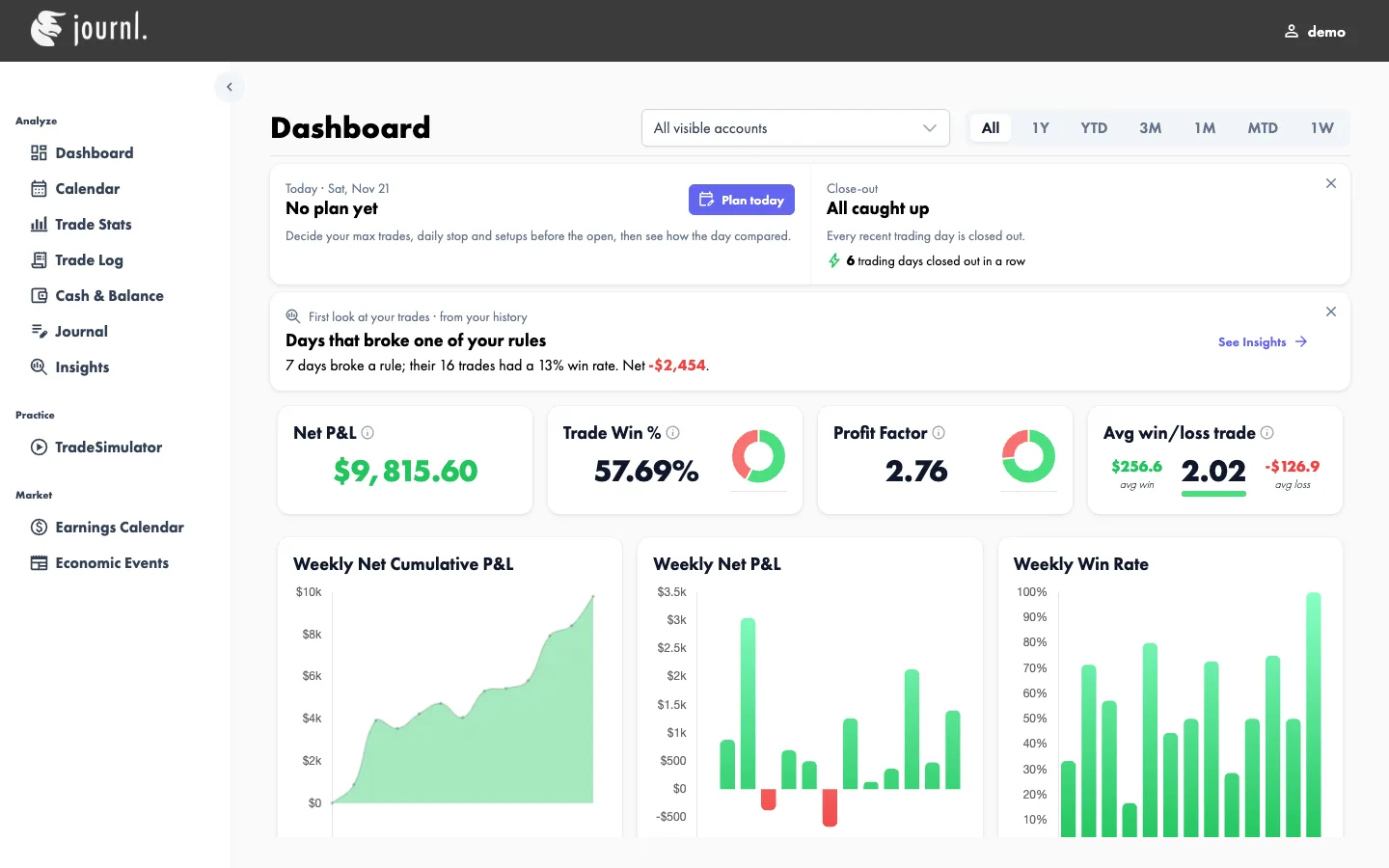
The Dashboard shows net P&L, win rate, profit factor and weekly charts for the account and time range you pick. The Calendar shows each day's result. Dashboard, Calendar and Trade Stats.
4. Review one trade properly
- Open Journal in the left menu and click Manage on a trade.
- Check the result, MFE and MAE on the charts (Premium and Pro).
- Add a stop and target, two or three tags, your psychology and a short note.
- Use Next to move on to the next trade.
5. Make it a habit
Add your setups and trading rules, then use the daily routine: plan the day on the Dashboard before the open, and close it out after your trades sync. Look at Insights once a week. After a few weeks, the patterns that cost you money become visible.
Want to look around first? The live demo opens a sample trader's account with every Pro feature, no sign-up needed.
Quick start: your first reviewed trade
From sign-up to your first reviewed trade in about fifteen minutes. Follow the steps in order; each one links to a detailed guide. New to journl.? Start with what the Interactive Brokers trading journal does.
New accounts start with a one-minute guided tour of where everything is. Restart it any time from the menu under your name in the top right: Take the tour.
1. Set your time zone
Open Account center → Account and set Your time zone before importing, so trade times and trading days are right from the start. More on settings.
2. Get your trades in
Pick one way to start. You can switch or combine them later; journl. skips trades it already has.
- IBKR CSV file (every plan): create a Flex Query once, download the file, upload it in Account center → Trading → Import a file. Manual import guide.
- IBKR auto sync (Basic and above): paste a Flex Token and Query ID into Account center → Trading. Auto sync guide.
- Enter a trade by hand: Add trade on the Journal or Trade Log. Manual trades guide.
3. Look at the big picture
The Dashboard shows net P&L, win rate, profit factor and weekly charts for the account and time range you pick. The Calendar shows each day's result. Dashboard, Calendar and Trade Stats.
4. Review one trade properly
- Open Journal in the left menu and click Manage on a trade.
- Check the result, MFE and MAE on the charts (Premium and Pro).
- Add a stop and target, two or three tags, your psychology and a short note.
- Use Next to move on to the next trade.
5. Make it a habit
Add your setups and trading rules, then use the daily routine: plan the day on the Dashboard before the open, and close it out after your trades sync. Look at Insights once a week. After a few weeks, the patterns that cost you money become visible.
Want to look around first? The live demo opens a sample trader's account with every Pro feature, no sign-up needed.