
Plan the day and close it out
Categories
Plan the day and close it out
A journal helps when you use it every day. journl. turns that into a short routine: plan the day before the open, then close it out after your trades sync. Both live on the Dashboard. All plans
Where to find it
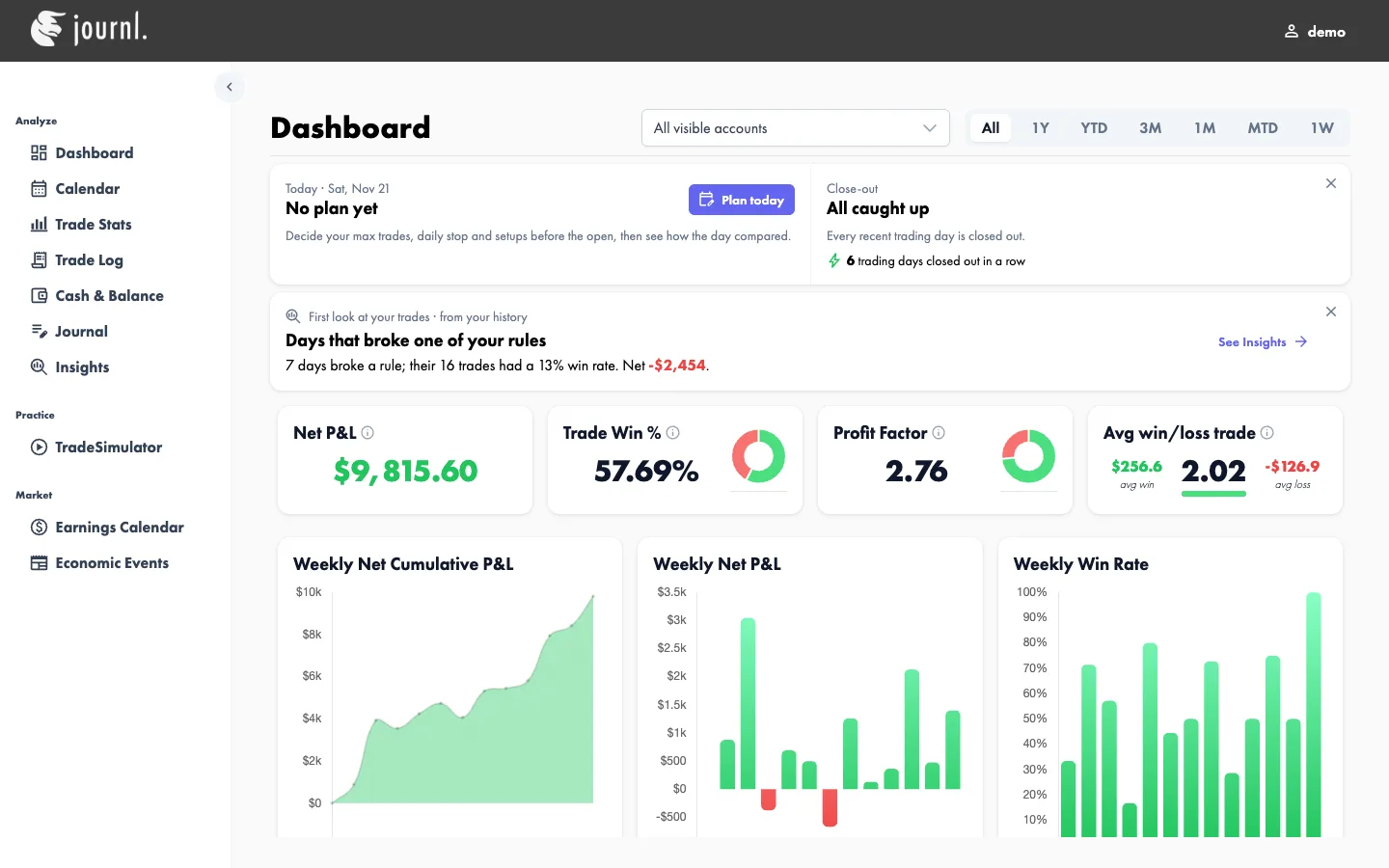
The card at the top of the Dashboard shows today's plan on the left and the next day waiting to be closed out on the right, with your close-out streak underneath.
1. Plan the day
- Click Plan today on the Dashboard card (or Edit if you already have a plan).
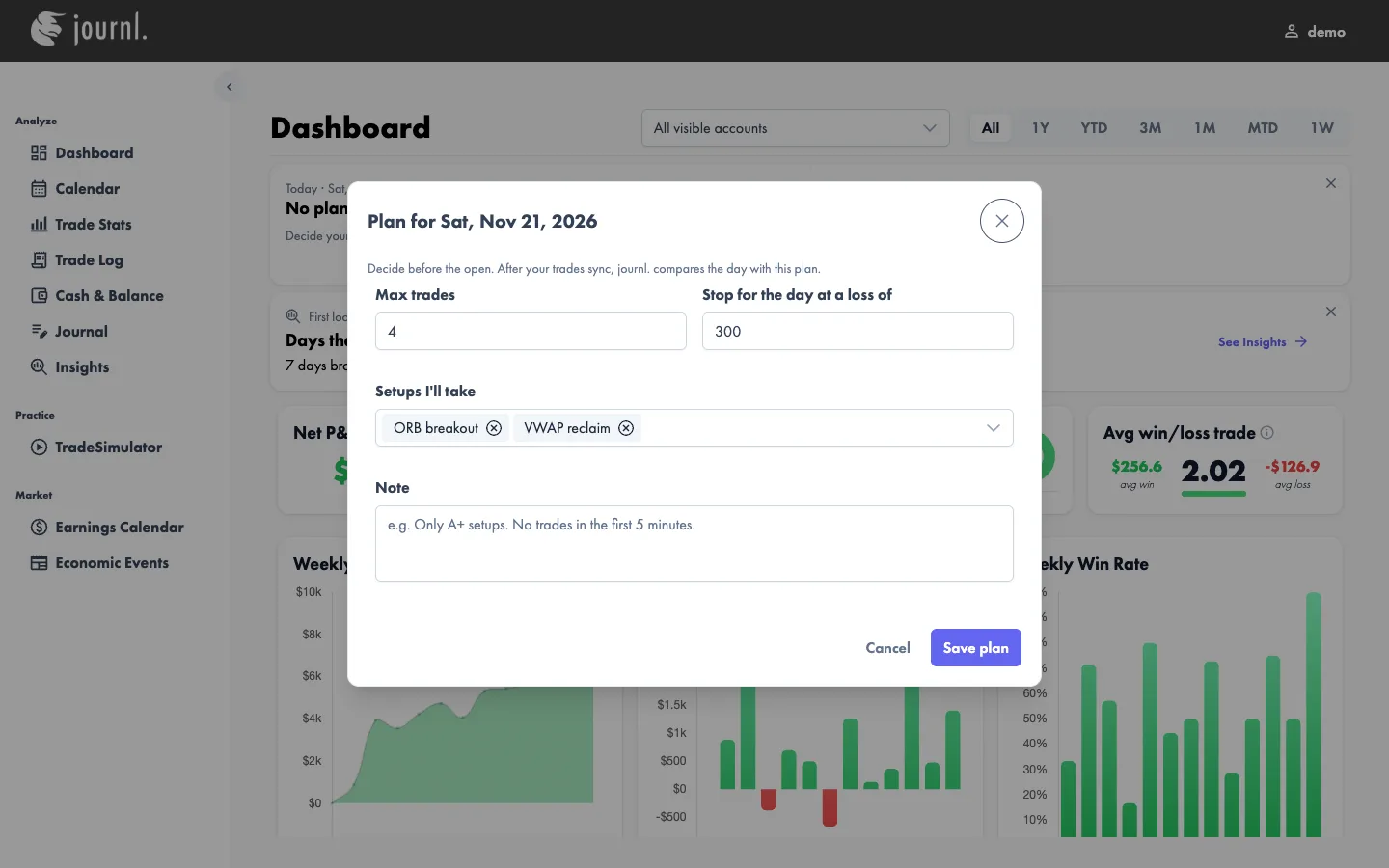
- Set Max trades, the loss to stop for the day at, and the setups you'll take. Max trades and the stop start from your trading rules, and the setups from your last plan, so most days you only check them and save.
- Add a short note if you like, for example "No trades in the first 5 minutes", and click Save plan.
Every field is optional. Leave one empty to skip it.
2. Close the day out
After the day's trades are in journl., open the close-out page. You can get there from three places:
- Dashboard: Close out the day on the card.
- Journal: the Close out button on a day in the daily view.
- Calendar: the small check icon on a day.
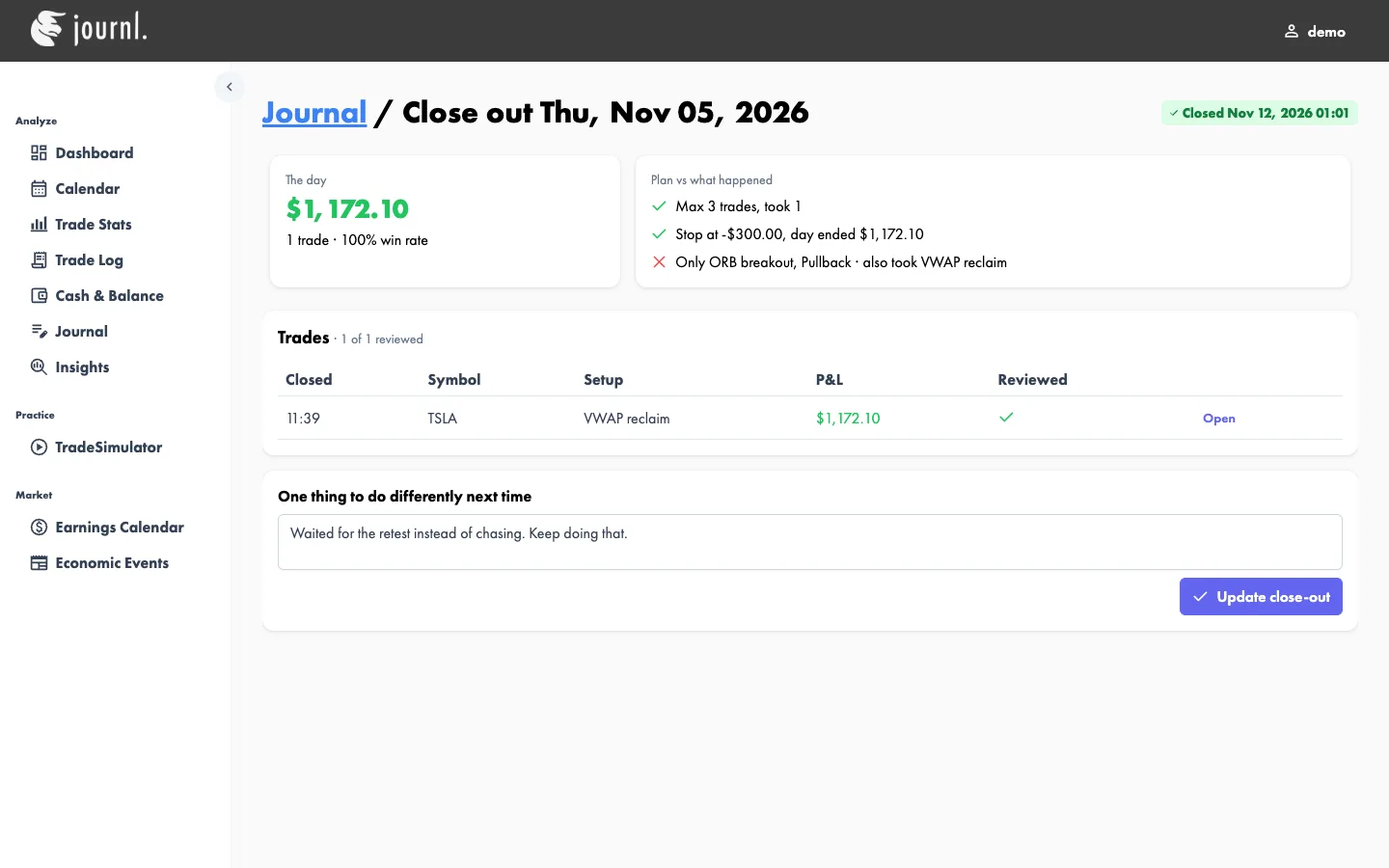
The page shows:
- The day: net P&L, number of trades and win rate.
- Plan vs what happened: a check or a cross for each part of your plan, for example "Max 3 trades, took 4".
- Trades: every trade closed that day, with its setup and whether it's reviewed. Review next takes you through the ones you haven't reviewed.
- One thing to do differently next time: a single sentence you'll see again when you look back.
Click Close the day. You can close it even if some trades aren't reviewed yet, and update the close-out later.
Your streak
The streak counts trading days you closed out in a row. Days without trades don't break it. Days planned, days closed out and your best streak also count towards your milestones.
Hiding the card
Use the × on the card to Hide for today or Turn off the card. Bring it back in Account center → Account under Daily plan and close-out on the dashboard.
With IBKR auto sync, each day's trades arrive after IBKR publishes that day's statement, usually overnight. Plan in the morning, and close out the previous day at the same time. See Auto sync. Want a nudge? Turn on the close-out reminder email.
Plan the day and close it out
A journal helps when you use it every day. journl. turns that into a short routine: plan the day before the open, then close it out after your trades sync. Both live on the Dashboard. All plans
Where to find it
The card at the top of the Dashboard shows today's plan on the left and the next day waiting to be closed out on the right, with your close-out streak underneath.
1. Plan the day
- Click Plan today on the Dashboard card (or Edit if you already have a plan).
- Set Max trades, the loss to stop for the day at, and the setups you'll take. Max trades and the stop start from your trading rules, and the setups from your last plan, so most days you only check them and save.
- Add a short note if you like, for example "No trades in the first 5 minutes", and click Save plan.
Every field is optional. Leave one empty to skip it.
2. Close the day out
After the day's trades are in journl., open the close-out page. You can get there from three places:
- Dashboard: Close out the day on the card.
- Journal: the Close out button on a day in the daily view.
- Calendar: the small check icon on a day.
The page shows:
- The day: net P&L, number of trades and win rate.
- Plan vs what happened: a check or a cross for each part of your plan, for example "Max 3 trades, took 4".
- Trades: every trade closed that day, with its setup and whether it's reviewed. Review next takes you through the ones you haven't reviewed.
- One thing to do differently next time: a single sentence you'll see again when you look back.
Click Close the day. You can close it even if some trades aren't reviewed yet, and update the close-out later.
Your streak
The streak counts trading days you closed out in a row. Days without trades don't break it. Days planned, days closed out and your best streak also count towards your milestones.
Hiding the card
Use the × on the card to Hide for today or Turn off the card. Bring it back in Account center → Account under Daily plan and close-out on the dashboard.
With IBKR auto sync, each day's trades arrive after IBKR publishes that day's statement, usually overnight. Plan in the morning, and close out the previous day at the same time. See Auto sync. Want a nudge? Turn on the close-out reminder email.