
Add a trade manually
Categories
Add a trade manually
Enter an option trade by hand when it is not in an IBKR file, for example a trade from another broker. Manual trades go into their own Manual trades account, which every plan includes.
Add a trade
- Open the Journal or Trade Log and click Add trade next to the page title.
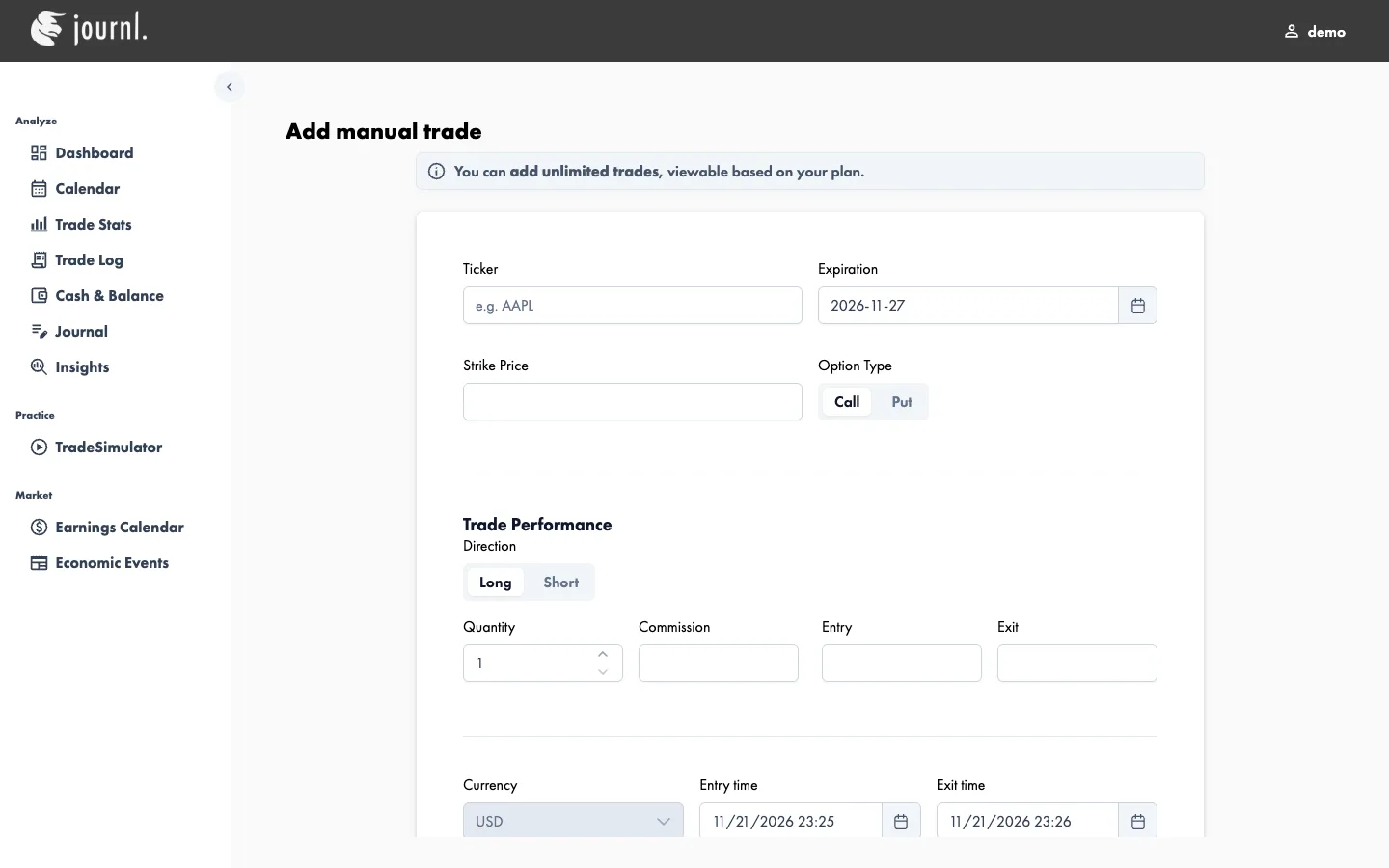
- Fill in the contract: Ticker, Expiration, Strike Price and Option Type (Call or Put).
- Under Trade Performance, pick Long or Short and enter the Quantity (contracts), Commission, and the Entry and Exit premium.
- Set the Entry time and Exit time, then save the trade.
Good to know
- The form is for options. Stocks and futures come in through IBKR import.
- Prices are per share, the way your broker quotes the premium. Amounts are in USD.
- You can add as many manual trades as you like. How many you can see each month depends on your plan.
- Manual trades get the same review tools as imported ones: tags, psychology, notes and the trade details.
Add a trade manually
Enter an option trade by hand when it is not in an IBKR file, for example a trade from another broker. Manual trades go into their own Manual trades account, which every plan includes.
Add a trade
- Open the Journal or Trade Log and click Add trade next to the page title.
- Fill in the contract: Ticker, Expiration, Strike Price and Option Type (Call or Put).
- Under Trade Performance, pick Long or Short and enter the Quantity (contracts), Commission, and the Entry and Exit premium.
- Set the Entry time and Exit time, then save the trade.
Good to know
- The form is for options. Stocks and futures come in through IBKR import.
- Prices are per share, the way your broker quotes the premium. Amounts are in USD.
- You can add as many manual trades as you like. How many you can see each month depends on your plan.
- Manual trades get the same review tools as imported ones: tags, psychology, notes and the trade details.