
Share an idea
Categories
Share an idea
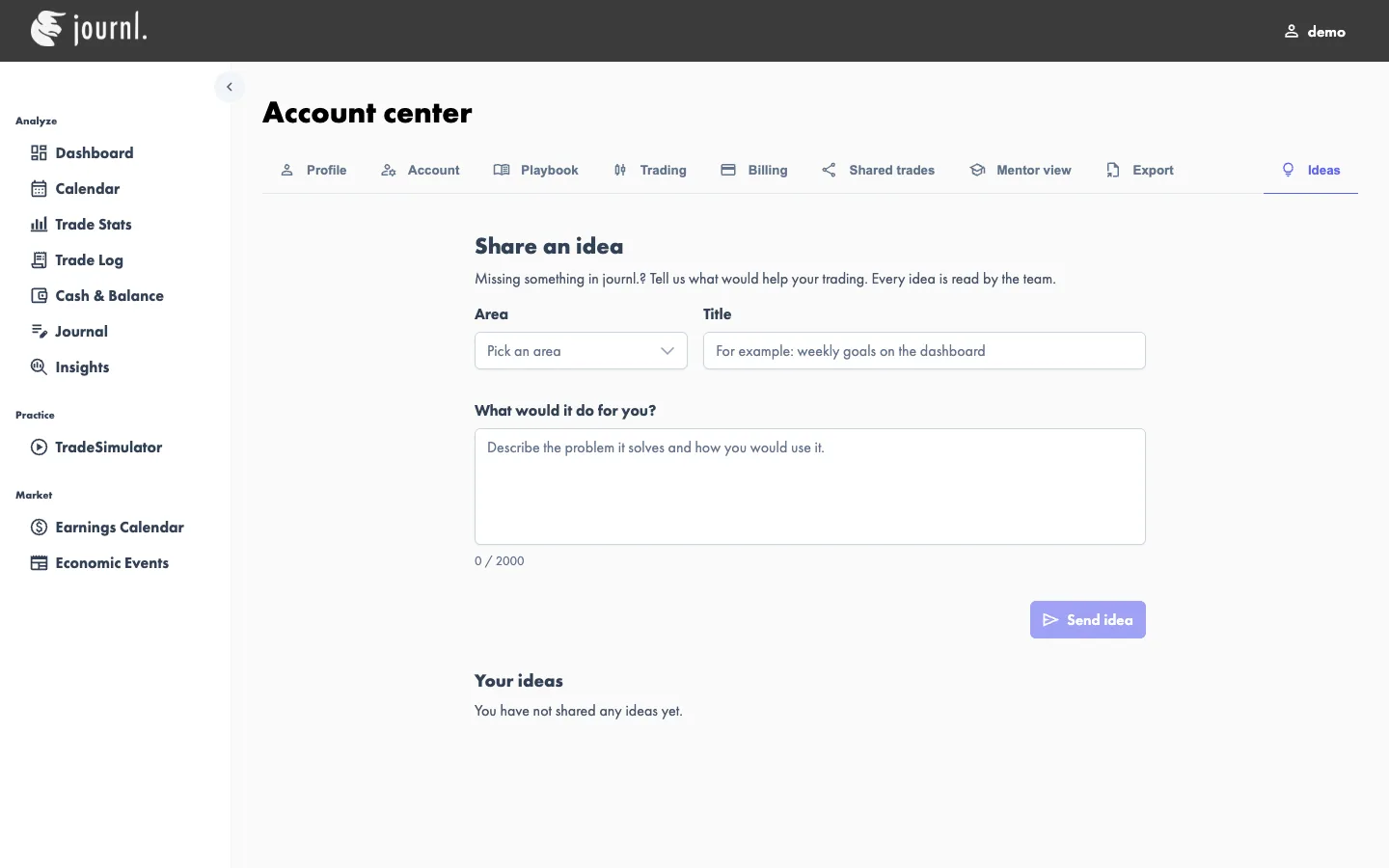
Missing something in journl.? Send it from the app. Every idea is read by the team, and you can follow what happens to it.
Send an idea
- Open Account center and click Ideas on the right of the tab bar.
- Pick an Area: Journal, Trade review, Analytics, TradeSimulator, Import and sync, or Other.
- Give it a short Title.
- Under What would it do for you?, describe the problem it solves and how you would use it (up to 2,000 characters).
- Click Send idea.
Follow your ideas
Your ideas are listed under Your ideas, each with its status:
- Received: it arrived and is waiting to be read.
- Under review: we are looking into it.
- Planned: it is on the roadmap.
- In progress: it is being built.
- Shipped: it is live in journl.
- Not planned: we decided against it, usually with a reason.
When the team answers, the reply appears under the idea as Reply from journl. You may also get an email when the status changes.
The best ideas describe the problem, not just the feature: what you were trying to do, and where journl. got in the way.
Share an idea
Missing something in journl.? Send it from the app. Every idea is read by the team, and you can follow what happens to it.
Send an idea
- Open Account center and click Ideas on the right of the tab bar.
- Pick an Area: Journal, Trade review, Analytics, TradeSimulator, Import and sync, or Other.
- Give it a short Title.
- Under What would it do for you?, describe the problem it solves and how you would use it (up to 2,000 characters).
- Click Send idea.
Follow your ideas
Your ideas are listed under Your ideas, each with its status:
- Received: it arrived and is waiting to be read.
- Under review: we are looking into it.
- Planned: it is on the roadmap.
- In progress: it is being built.
- Shipped: it is live in journl.
- Not planned: we decided against it, usually with a reason.
When the team answers, the reply appears under the idea as Reply from journl. You may also get an email when the status changes.
The best ideas describe the problem, not just the feature: what you were trying to do, and where journl. got in the way.