
Manage account settings
Categories
Manage account settings
Everything about your account lives in Account center. Open it by clicking your name in the top right corner and choosing Account center.
The Account center tabs
- Profile: username, email, full name and avatar.
- Account: password, time zone, formats, theme, privacy mode, dashboard cards, emails and account deletion.
- Playbook: your trading rules and setups. See Setups and trading rules.
- Trading: IBKR auto sync keys and your trading accounts. See Broker accounts.
- Billing: your plan, usage and the TradeSimulator add-on. See Billing and usage.
- Shared trades: private trade links you created. See Share a trade.
- Mentor view: private progress links for a mentor, and their comments. See Share your progress with a mentor.
- Export: download your trades as CSV. See Export trades.
- Ideas: suggest features and follow their status. See Share an idea.
Profile tab
Update your username, email and full name, pick an avatar, then click Update.
Account tab
Password
Enter your current password, the new one twice, and click Update.
Personalization
Your time zone sets how trade times, days and the calendar are shown, so set it to where you trade from. Default time range is the period the Dashboard, Trade Stats and Insights open with. You can also set the number, date and time formats and the first day of the week. Click Save after changing them.
Theme, privacy mode and dashboard cards
Light, dark or system theme, privacy mode to hide money amounts, and switches for the daily card and the pattern to watch. See Theme, privacy mode and formats.
Emails
Switches for the trading recap, the review reminder, the close-out reminder and mentor comment emails. See Emails and reminders.
Danger zone
At the bottom of the tab. This is where you permanently delete your account. See Delete your account.
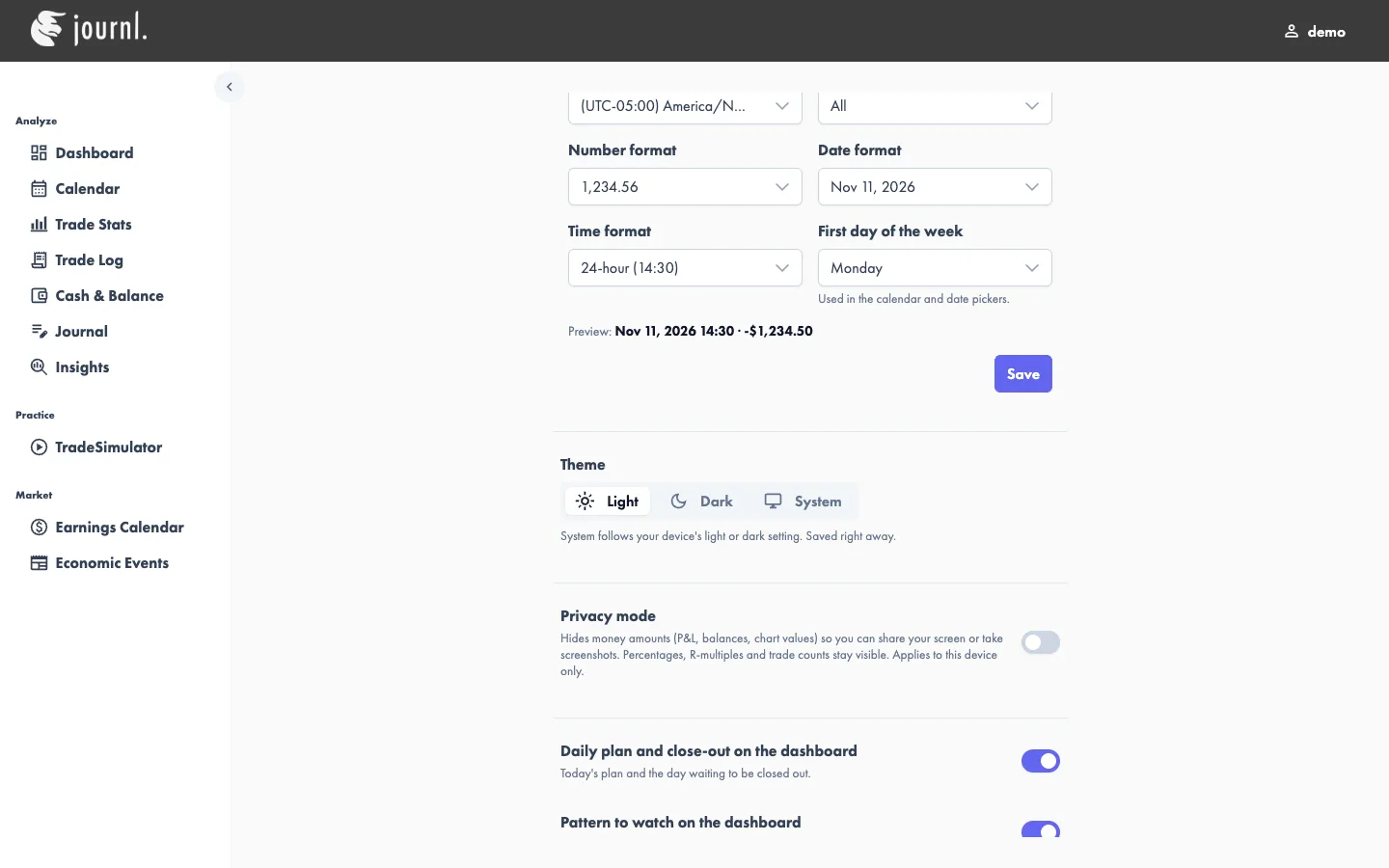
Times look a few hours off after an import? Check Your time zone on the Account tab first.
Manage account settings
Everything about your account lives in Account center. Open it by clicking your name in the top right corner and choosing Account center.
The Account center tabs
- Profile: username, email, full name and avatar.
- Account: password, time zone, formats, theme, privacy mode, dashboard cards, emails and account deletion.
- Playbook: your trading rules and setups. See Setups and trading rules.
- Trading: IBKR auto sync keys and your trading accounts. See Broker accounts.
- Billing: your plan, usage and the TradeSimulator add-on. See Billing and usage.
- Shared trades: private trade links you created. See Share a trade.
- Mentor view: private progress links for a mentor, and their comments. See Share your progress with a mentor.
- Export: download your trades as CSV. See Export trades.
- Ideas: suggest features and follow their status. See Share an idea.
Profile tab
Update your username, email and full name, pick an avatar, then click Update.
Account tab
Password
Enter your current password, the new one twice, and click Update.
Personalization
Your time zone sets how trade times, days and the calendar are shown, so set it to where you trade from. Default time range is the period the Dashboard, Trade Stats and Insights open with. You can also set the number, date and time formats and the first day of the week. Click Save after changing them.
Theme, privacy mode and dashboard cards
Light, dark or system theme, privacy mode to hide money amounts, and switches for the daily card and the pattern to watch. See Theme, privacy mode and formats.
Emails
Switches for the trading recap, the review reminder, the close-out reminder and mentor comment emails. See Emails and reminders.
Danger zone
At the bottom of the tab. This is where you permanently delete your account. See Delete your account.
Times look a few hours off after an import? Check Your time zone on the Account tab first.